Local SEO for UK schools
Local SEO for UK Schools: Optimising Your Website for Local Search Results
Published by SEO for Schools • Author: Paul Delaney
Local visibility is how prospective parents, carers and contractors find you when they search “schools near me”, “year 7 admissions [town]” or “report an absence”. Ranking in the map pack and nearby organic results requires two things: a parent-friendly website with clear local signals, and complete, accurate listings across Google, Apple and Bing. This guide takes beginners to confident practitioners: you’ll ship clean on-page location signals, structure your location pages, tune Google Business Profile (GBP), keep NAP consistent, earn relevant links, and measure it all.
How local search works (plain English)
Map pack vs organic
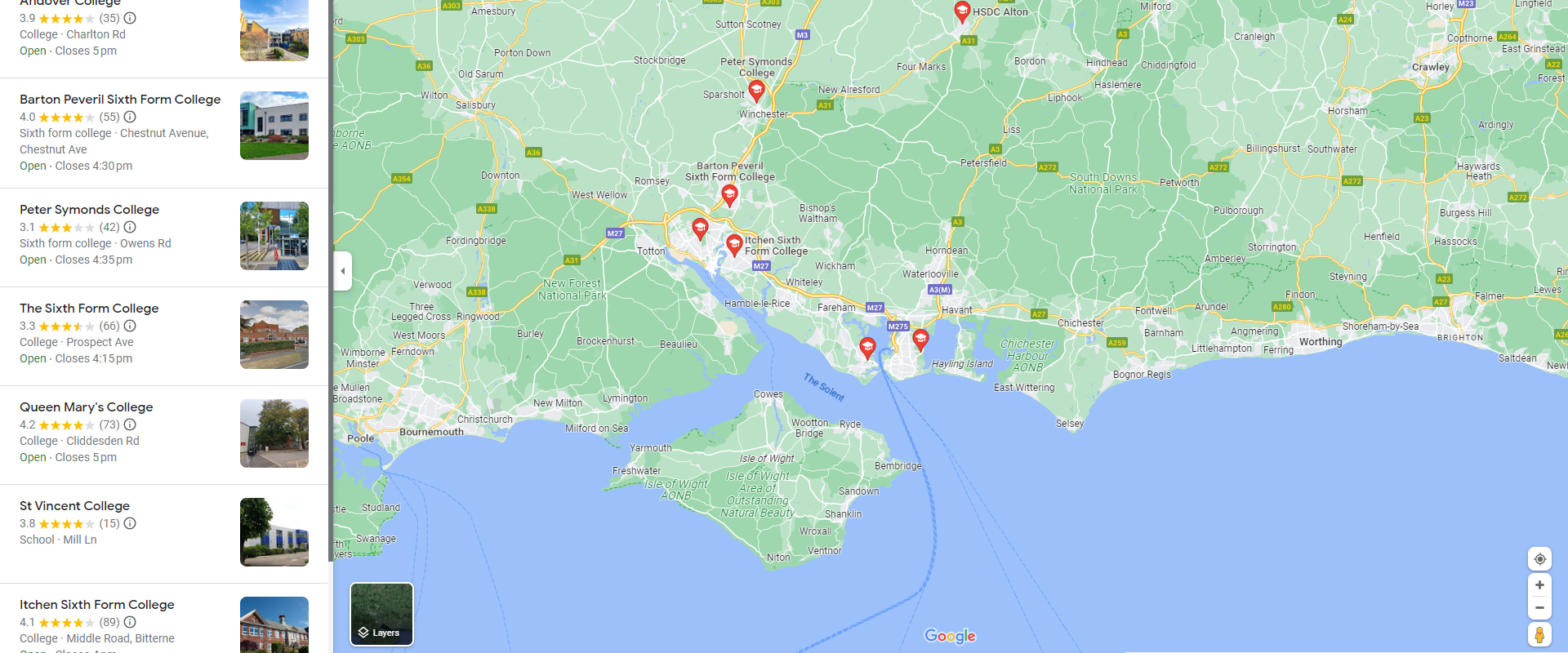
The map pack shows three nearby schools and a map; the organic results sit below. You can (and should) aim to appear in both.
What decides rankings?
Google cites relevance (how well your info matches the query), distance (proximity to the searcher) and prominence (information quality and recognition). You control relevance and prominence; distance is determined by location. Reference: Google — How local results are ranked.
On-page local signals on your website
Titles & meta descriptions
| Page | Title idea | Notes |
|---|---|---|
| Home | [School], [Town] | Primary/Secondary School | Brand last or first—keep it natural, avoid stuffing |
| Contact | Contact [School] in [Town] | Address, Phone & Map | Matches user intent; helps justifications in maps |
| Admissions | Admissions: How to Apply | [School], [Town] | Task-first + locality |
| Term dates | Term Dates [YEAR/YEAR+1] | [School], [Town] | Use current academic year in H1 |
Contact page essentials
| Element | Guidance |
|---|---|
| NAP block | School name (as on signage), Royal Mail formatted address, main office phone |
| Map | Embed a map centred on visitor entrance with alt text describing location |
| Directions | Text directions from major roads/public transport (accessible, printable) |
| Office hours | Show reception hours; reflect in GBP “Opening hours” |
Footer NAP & internal links
Repeat a concise NAP in the footer and link to Contact, Admissions, Term dates, and Absence. Crawlers see this on every page, and parents always have a route to key tasks. References: Google — SEO Starter Guide • MDN — <address> element.
Single vs multi-location (MAT) pages
Single school
One Contact page with a rich NAP block, schema, map and office hours. Add local content in News/Events (“Open Evening [Town]”).
Multi-academy trust
Create a Schools hub that lists each school with a short NAP snippet and a link to a dedicated location page per campus. Each school page should have its own structured data, map and unique copy (don’t paste the same paragraph everywhere).
| Item | Why |
|---|---|
| Unique title (School, Town) and H1 | Relevance for local queries |
| NAP, map and directions | Prominence and conversions (calls, visits) |
| Local proof points (catchment, transport) | Useful content; higher engagement |
| Links to Admissions, Term dates, Absence | Task completion |
School / LocalBusiness schema | Machine-readable location data |
Google Business Profile alignment (with your site)
Fields to mirror
| GBP field | Website element |
|---|---|
| Name | Header/Logo text and Contact page H1/H2 |
| Address & pin | Contact page address & embedded map at visitor entrance |
| Phone | Footer and Contact page primary number |
| Hours | Reception hours on Contact page |
| Website URL | Canonical HTTPS domain, no parameters |
References: Google — Business Profile guidelines • Business hours.
Posts, Q&A and reviews
Post open evenings and deadline reminders with UTM-tagged links to Admissions. Seed and answer Q&A (parking, reception hours). Reply to reviews within 5 working days and flag policy-violating content. References: Google — Q&A • Review policies.
Apple Business Connect & Bing Places
Many families use iPhone and Windows devices. Claim and align your details in Apple Business Connect and Bing Places and use the same NAP as GBP. References: Apple — Business Connect • Microsoft — Bing Places.
Citations & reviews (quality over quantity)
Must-have citations
| Source | Action |
|---|---|
| GIAS (DfE) | Ensure the record matches your public NAP |
| Ofsted | Confirm school name/URN consistency |
| Local council directory | Request website link and correct address |
| Trust (MAT) website | List each school with consistent NAP & links |
References: DfE — GIAS • Ofsted — Find reports • GOV. UK — Find local council.
Reviews — safe practice
Invite feedback from parents (never pupils), no incentives. Respond politely and escalate safeguarding concerns via school policy, not public threads. Reference: Google — Review policies.
Structured data for schools
Add JSON-LD to make your location data machine-readable. For a single school, use School (a subtype of EducationalOrganization) and include address, telephone, geo, sameAs (social and GBP/Apple/Bing profile URLs if available), and openingHours for the office.
{"@context":"https://schema.org","@type":"School","name":"Example High School","address":{"@type":"PostalAddress","streetAddress":"1 Example Road","addressLocality":"Ashford","postalCode":"TN23 1AB","addressCountry":"GB"},"telephone":"+44 1234 567890","url":"https://www.example.sch.uk/","geo":{"@type":"GeoCoordinates","latitude":51.146,"longitude":0.873},"openingHours":"Mo-Fr 08:30-16:30","sameAs":["https://maps.google.com/?cid=XXXXXXXX","https://maps.apple.com/?q=Example+High+School"]}References: Google — Intro to structured data • Schema.org — School.
Mobile performance & access
Why it matters
Most local searches happen on mobile. Slow pages or poor layout reduce clicks and directions. Keep content lightweight, readable and accessible.
References: Google — Core Web Vitals.
Essentials
| Area | Action |
|---|---|
| LCP | Compress hero images; avoid heavy sliders |
| CLS | Reserve image/iframe space; stable fonts |
| INP | Optimise JS; reduce third-party bloat |
| Accessibility | Clear labels, visible focus, printable directions; link text like “Report an absence” not “click here” |
Measuring local success
Search Console
Filter Performance by page group (/contact/, /admissions/) and compare matched periods (e.g., September vs September) for impressions and CTR after changes. Use Links → Top linking sites to see new local referrers.
Reference: Google — Performance report.
Listings & analytics
Tag listing URLs with UTM parameters:
https://www.example.sch.uk/contact/?utm_source=google&utm_medium=gbp&utm_campaign=localTrack calls, direction clicks, and conversions (contact views, prospectus PDFs). Cross-check with GBP Performance metrics. References: Google — GBP Performance • Google — UTM guide.
Print-screen checklists & templates
On-Page Local SEO — 18 Checks
Screenshot or print this card| 1. | Home title includes Town and school type. |
| 2. | Contact page: NAP in Royal Mail format. |
| 3. | Map embedded and centred on visitor entrance. |
| 4. | Office hours shown and match GBP. |
| 5. | Footer NAP + links to Term dates, Absence, Admissions, Contact. |
| 6. | Admissions page links include Town where natural. |
| 7. | H1 aligns with title meaning. |
| 8. | Breadcrumbs displayed and marked up. |
| 9. | Images compressed; LCP < 2.5s on mobile. |
| 10. | Accessible link text (no “click here”). |
| 11. | Schema School or LocalBusiness present. |
| 12. | Canonical URLs; no duplicate “Contact” pages. |
| 13. | Local proof points (transport/catchment) on location pages. |
| 14. | UTM tags on external listing links to your site. |
| 15. | Contact route passes keyboard and screen-reader checks. |
| 16. | Phone number is clickable tel:. |
| 17. | GDPR-safe presentation of any personal data. |
| 18. | Change log maintained. |
GBP Alignment — 12 Checks
Screenshot or print this card| 1. | Name matches signage & website header. |
| 2. | Address matches Royal Mail; pin at reception. |
| 3. | Main office phone matches site. |
| 4. | Primary category is correct (e.g., Primary school). |
| 5. | Opening hours match Contact page. |
| 6. | Logo and cover are current; interior photos uploaded. |
| 7. | Attributes set (wheelchair access, parking). |
| 8. | Q&A seeded and monitored weekly. |
| 9. | Review responses within 5 working days. |
| 10. | Posts used for open evenings/deadlines. |
| 11. | Website link uses UTM tags. |
| 12. | Apple/Bing listings mirror GBP. |
MAT Location Pages — Governance (10)
Screenshot or print this card| 1. | Schools hub lists all campuses with short NAP. |
| 2. | Dedicated page per school with unique copy. |
| 3. | Schema per school (name, address, geo, phone). |
| 4. | Map embed and directions for each campus. |
| 5. | Internal links to Admissions/Term dates for that campus. |
| 6. | Consistent slugs (e.g., /schools/ashford/). |
| 7. | GBP ownership delegated; details locked centrally. |
| 8. | Quarterly audit of NAP across all listings. |
| 9. | UTM standards shared trust-wide. |
| 10. | Accessibility review across templates. |
FAQs
Is proximity everything in local search?
No. You can’t move the school, but you can improve relevance (clear on-page signals, consistent categories) and prominence (complete profiles, reviews, citations, helpful local content). These factors influence visibility within a reasonable radius. Reference: Google — local ranking factors.
Should we create separate sites for each campus?
Usually no. Use one trust domain with a robust schools hub and unique location pages per campus. Separate domains split authority and increase maintenance.
Do Apple and Bing listings help Google?
Indirectly. They increase user visibility and create consistent NAP signals across the web. Google primarily uses its own data, but consistency supports trust.
Can we add keywords to the school name in GBP?
No. Only use your real-world name as shown on signage and your website. Keyword stuffing violates Google’s guidelines and can trigger edits or suspension.
Need practical SEO support?
Speak With Paul Delaney
Paul Delaney helps schools turn complex SEO into simple, effective actions. As a guest writer for SEO for Schools, Paul shares step-by-step playbooks and evidence-based guidance that busy teams can apply immediately. With three decades’ experience working with UK and international institutions, he understands the challenges school teams face and is well positioned to offer support and guidance.
For our readers, Paul offers free 30-minute sessions for institutions exploring how to raise visibility, strengthen brand trust and streamline admissions. Sessions are practical, jargon-free and free from sales pressure. You can contact him using the buttons below—please mention SEOforSchools.co.uk.